
Weather Shield Tablet & Mobile App
Empowering Roofers in the Field: Designing Mobile Workflows That Work in the Real World
Since the 80’s, Weather Shield Roofing Systems has been West Michigan’s leading commercial roofing specialist. This project exemplifies human-centered design that meets users where they are—literally—and transforms a complex workflow into an intuitive, high-impact mobile experience.
Overview
Weather Shield Roofing Systems is a respected commercial and industrial roofing company with decades of experience, specializing in flat-roof, industrial-roof, and commercial roofing systems.
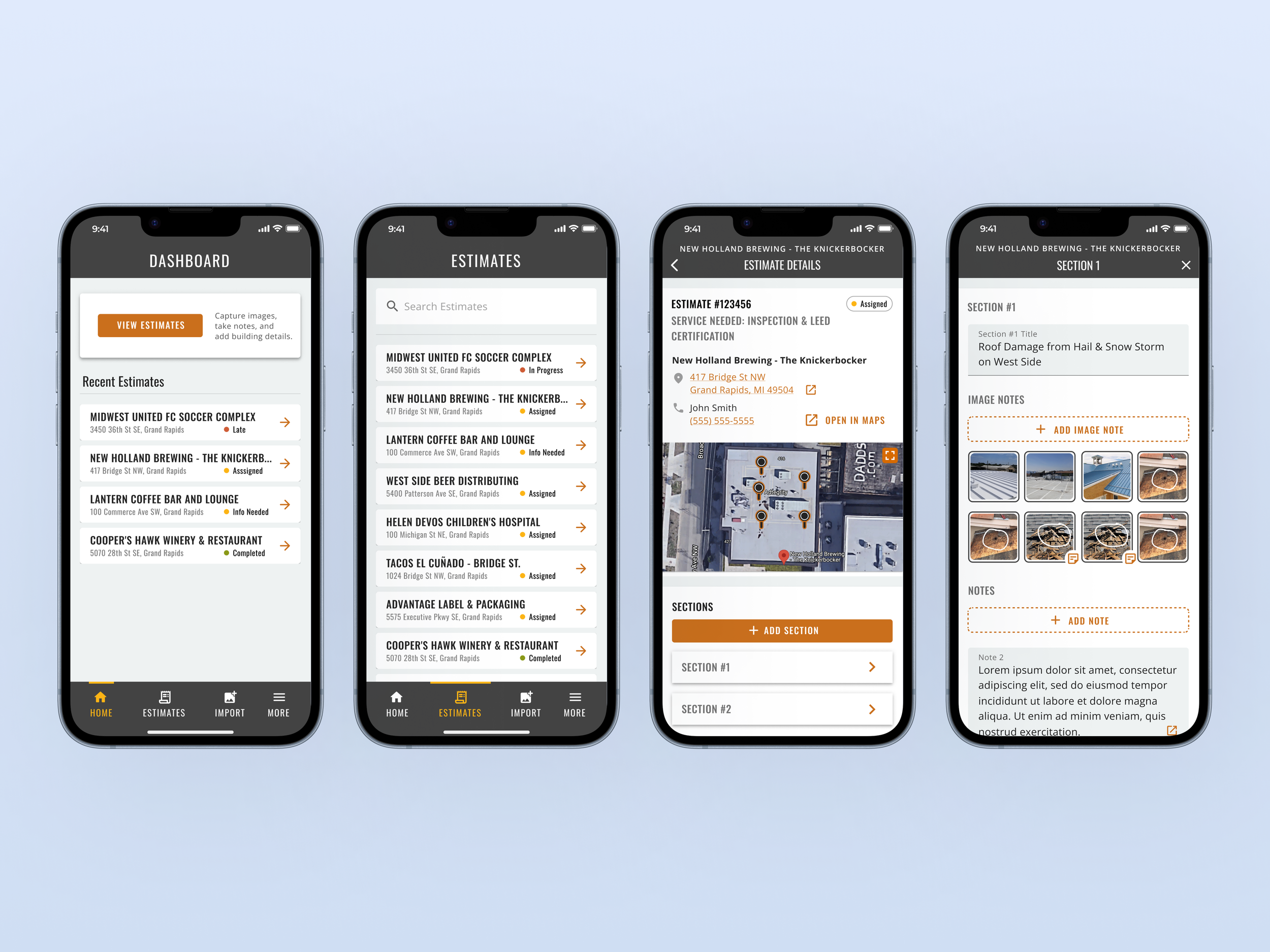
Weather Shield Mobile reimagines how commercial and industrial roofing estimators capture, annotate, and submit critical job data—directly from the rooftop. Built for gloved hands, one-handed use, harsh sunlight, and fast-paced field conditions, the app puts power, precision, and safety into the hands of the people doing the work. By connecting their on-the-go efforts seamlessly to backend systems, it replaces paper chaos with clarity, reduces errors, and makes every job faster, safer, and more reliable.
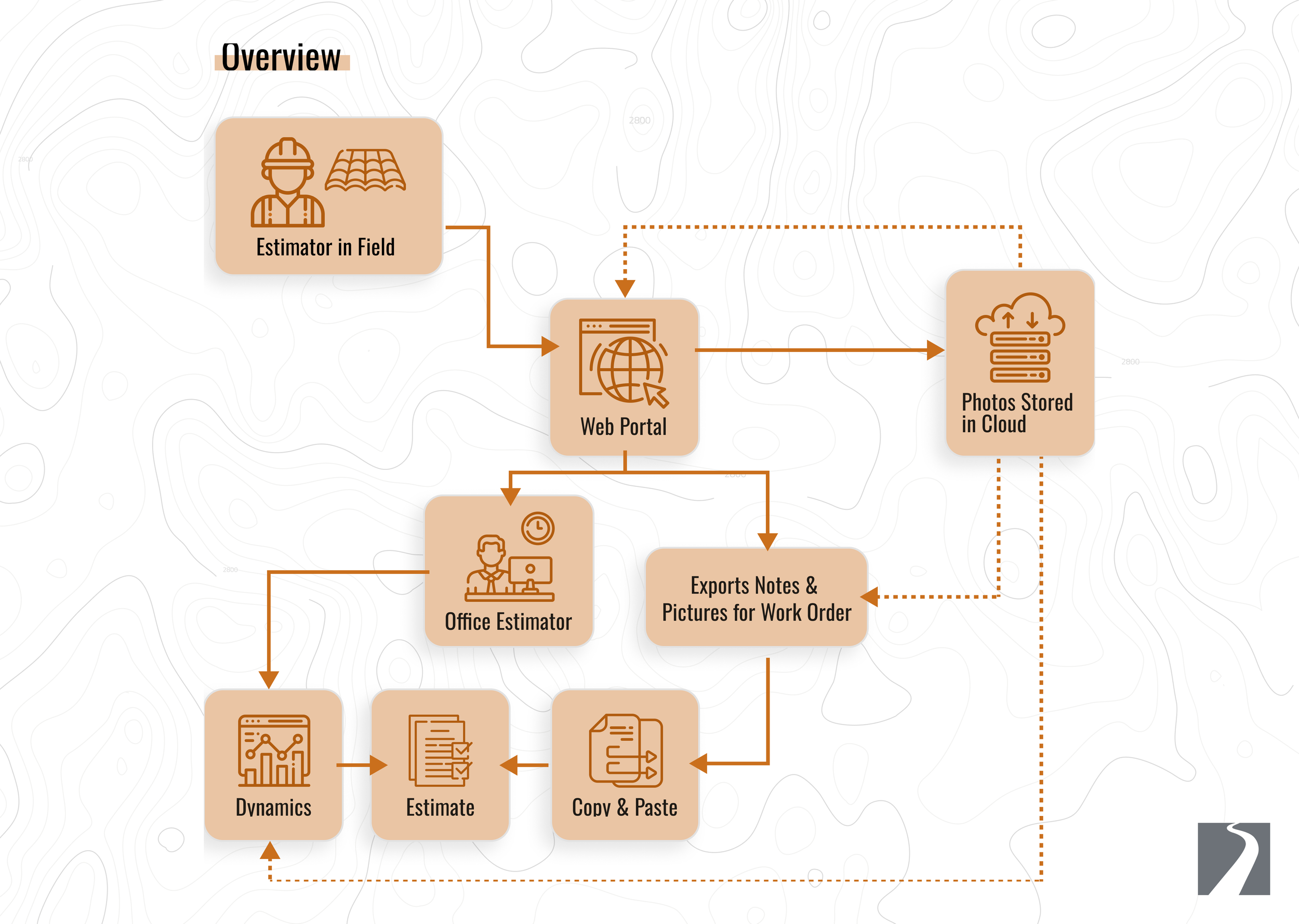
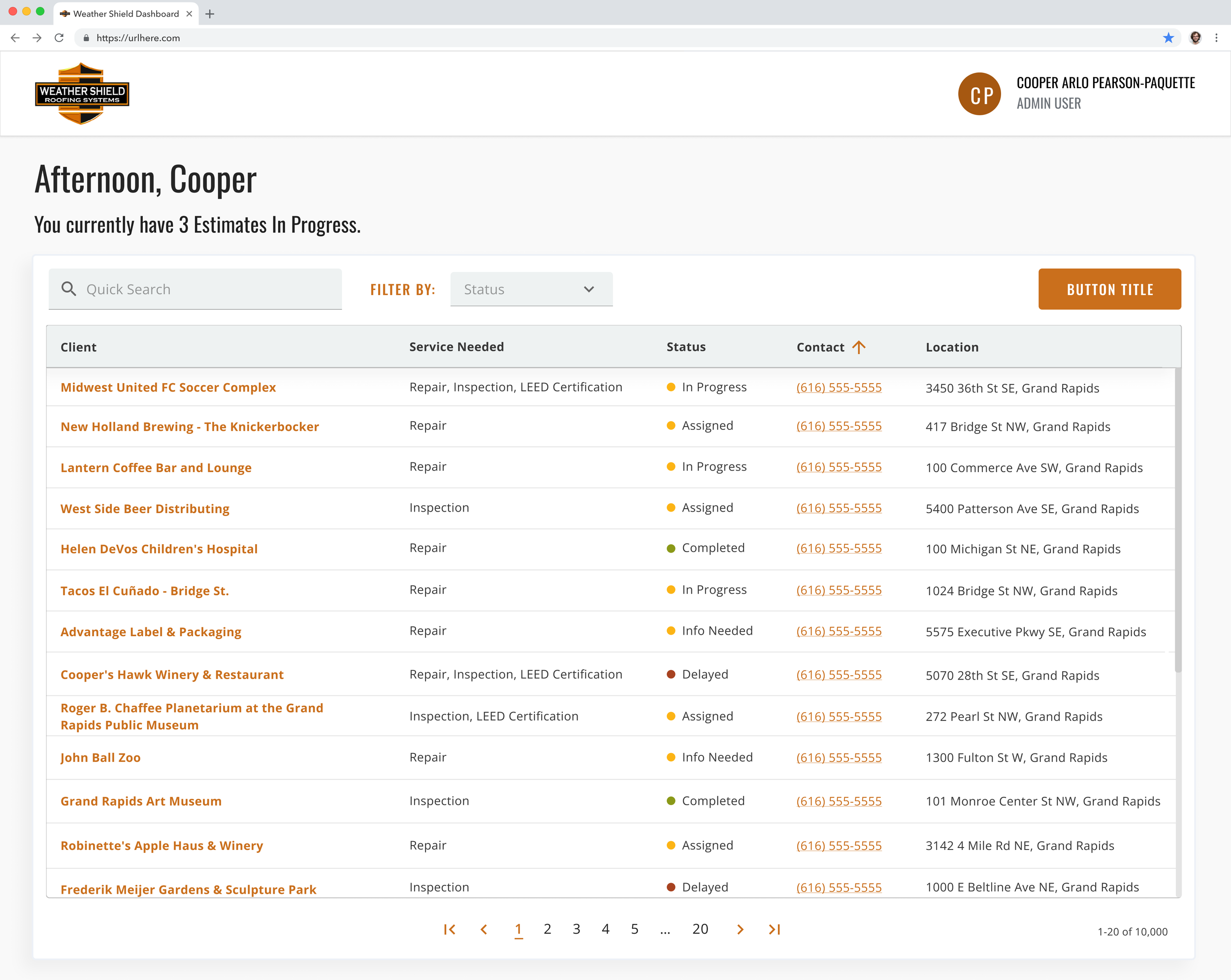
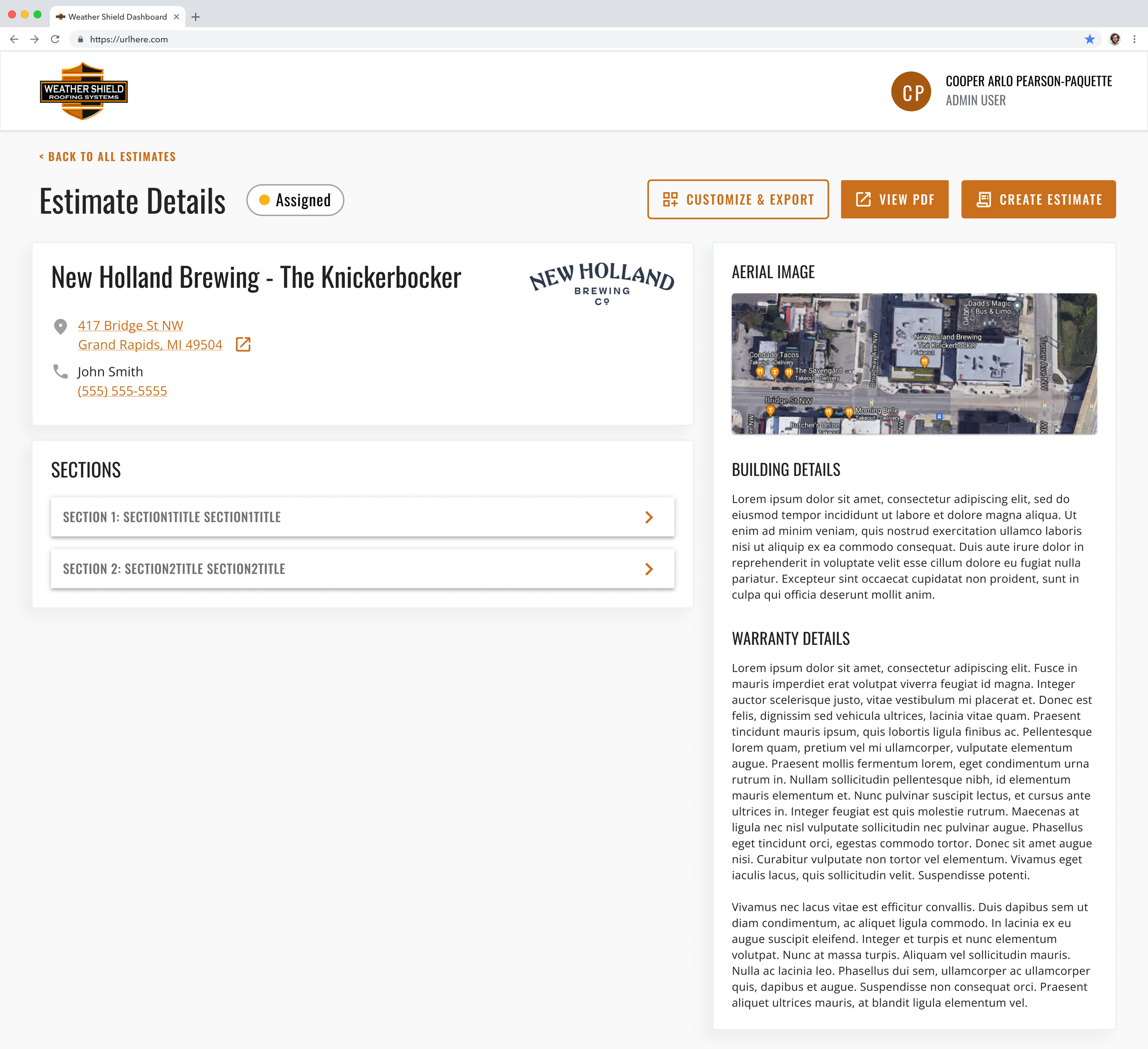
Working with Trailhead Technology Partners, Weather Shield initiated a digital transformation: designing a mobile and tablet-based app to replace their paper-based onsite roofing estimation and inspection workflow. The app lets roofing estimators on commercial/industrial properties take photos, annotate them, record measurements and notes, and sync everything to a cloud-backed backend for quoting and estimating.
As the Lead UI/UX Designer, I spearheaded the design and UX for a tablet and mobile version of that app — translating the existing paper workflow to a phone-optimized experience so estimators could work flexibly on-site — all while ensuring seamless integration with enterprise backend systems and preserving the demanding functionality required for commercial roofing work.
Impact
The Weather Shield mobile app transformed the way commercial and industrial roofing estimators work in the field, putting power and precision directly into their hands. Designed for real-world conditions—gloved hands, precarious rooftops, harsh sunlight, and constant movement—the app allowed estimators to capture photos, annotate, and record measurements with confidence and speed, even in the most challenging environments. By connecting their on-the-go work seamlessly to backend systems, it eliminated the chaos of lost paperwork and delayed quotes, empowering estimators to focus on what matters most: getting the job done safely, accurately, and efficiently. This human-centered solution not only accelerated Weather Shield’s digital transformation but also made the daily work of estimators easier, safer, and more reliable.
Problem Space
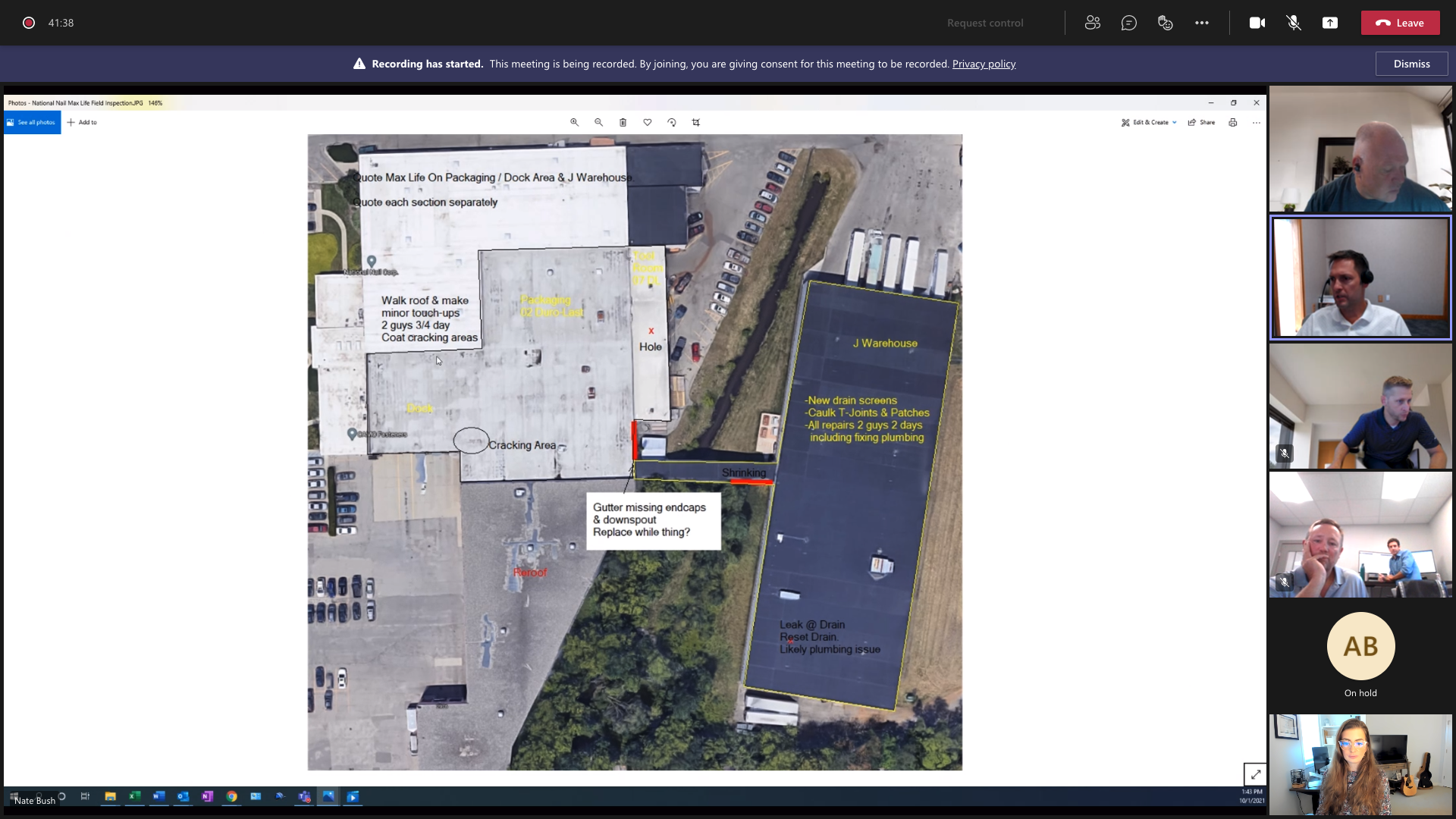
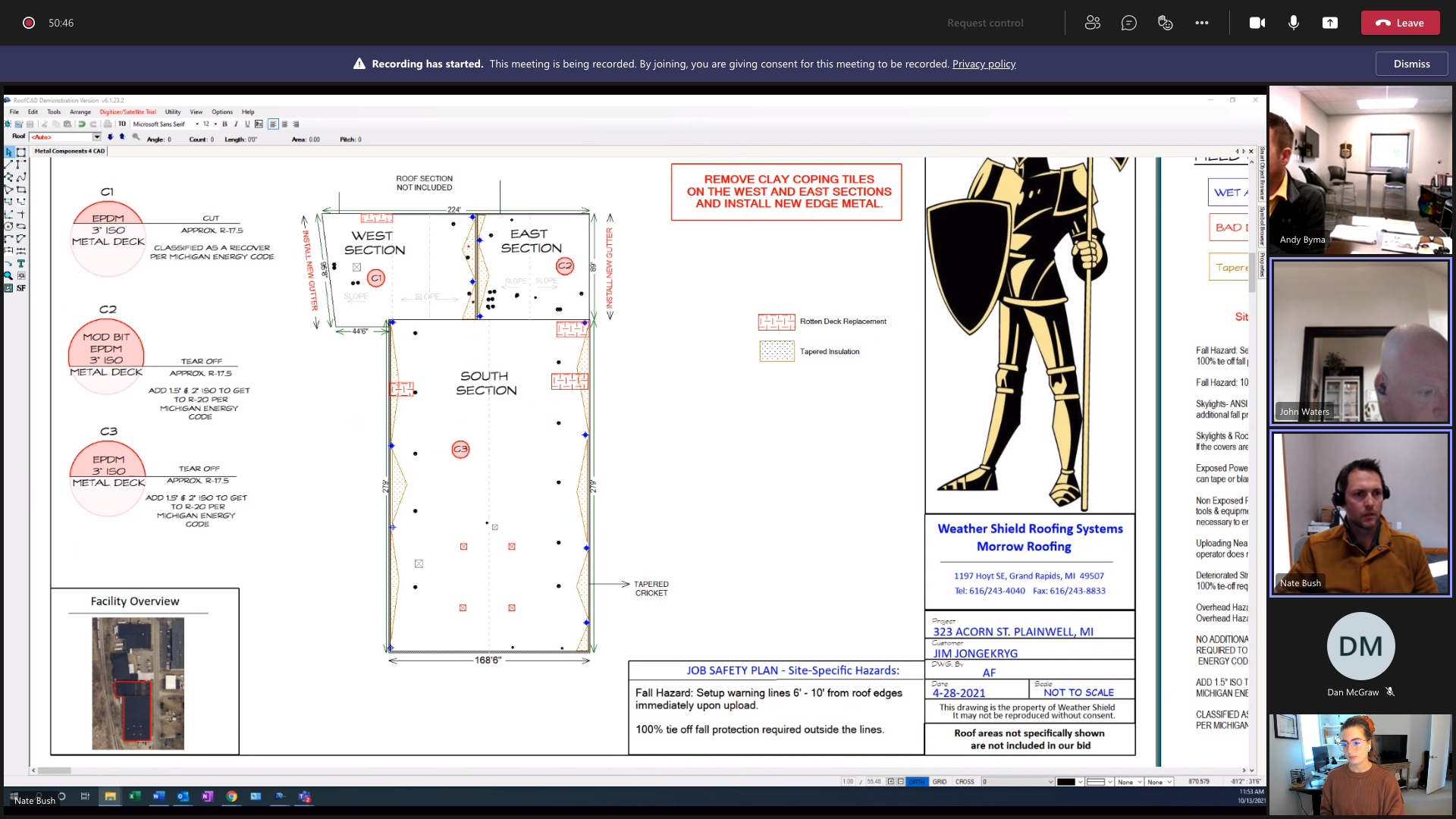
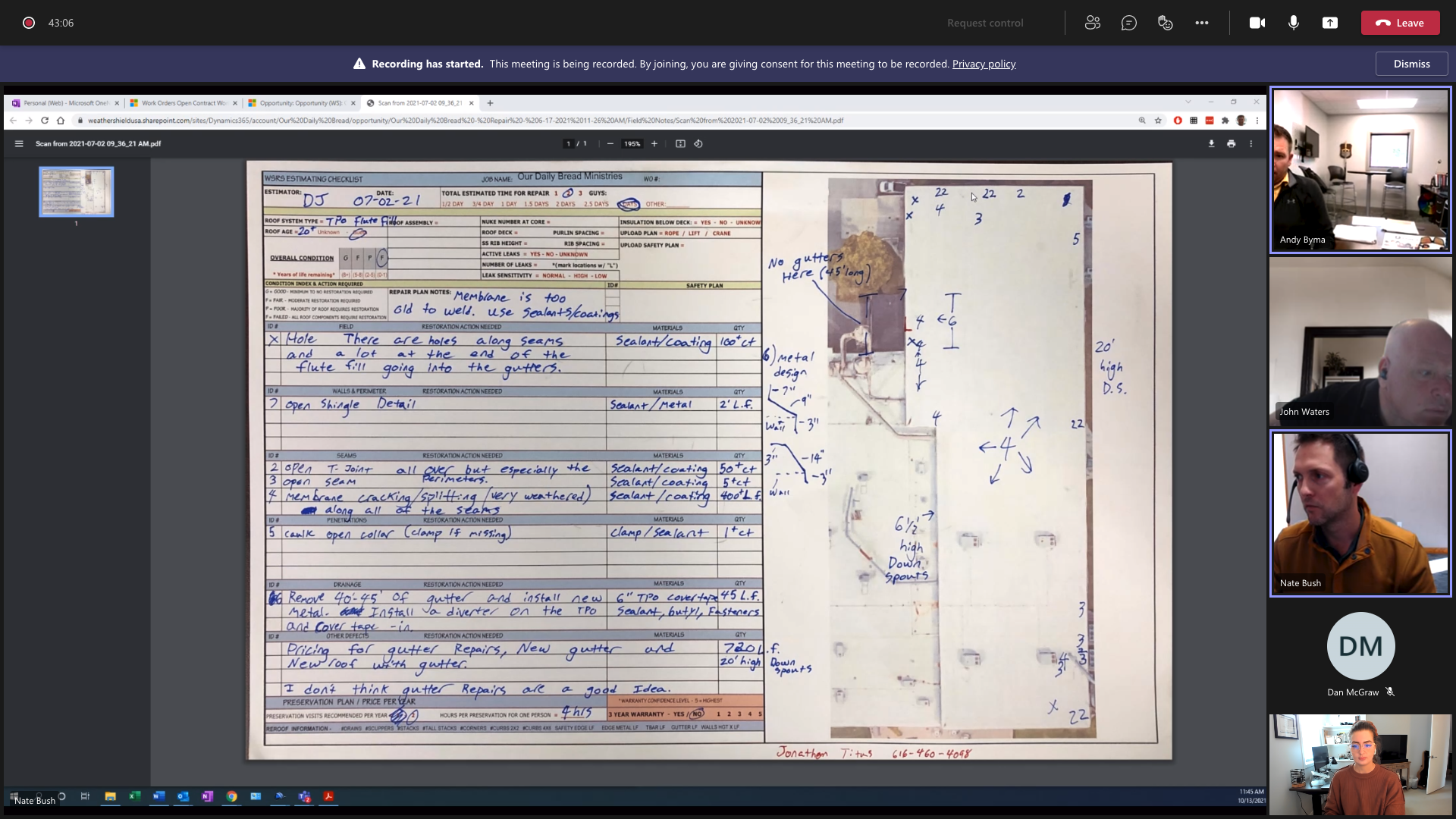
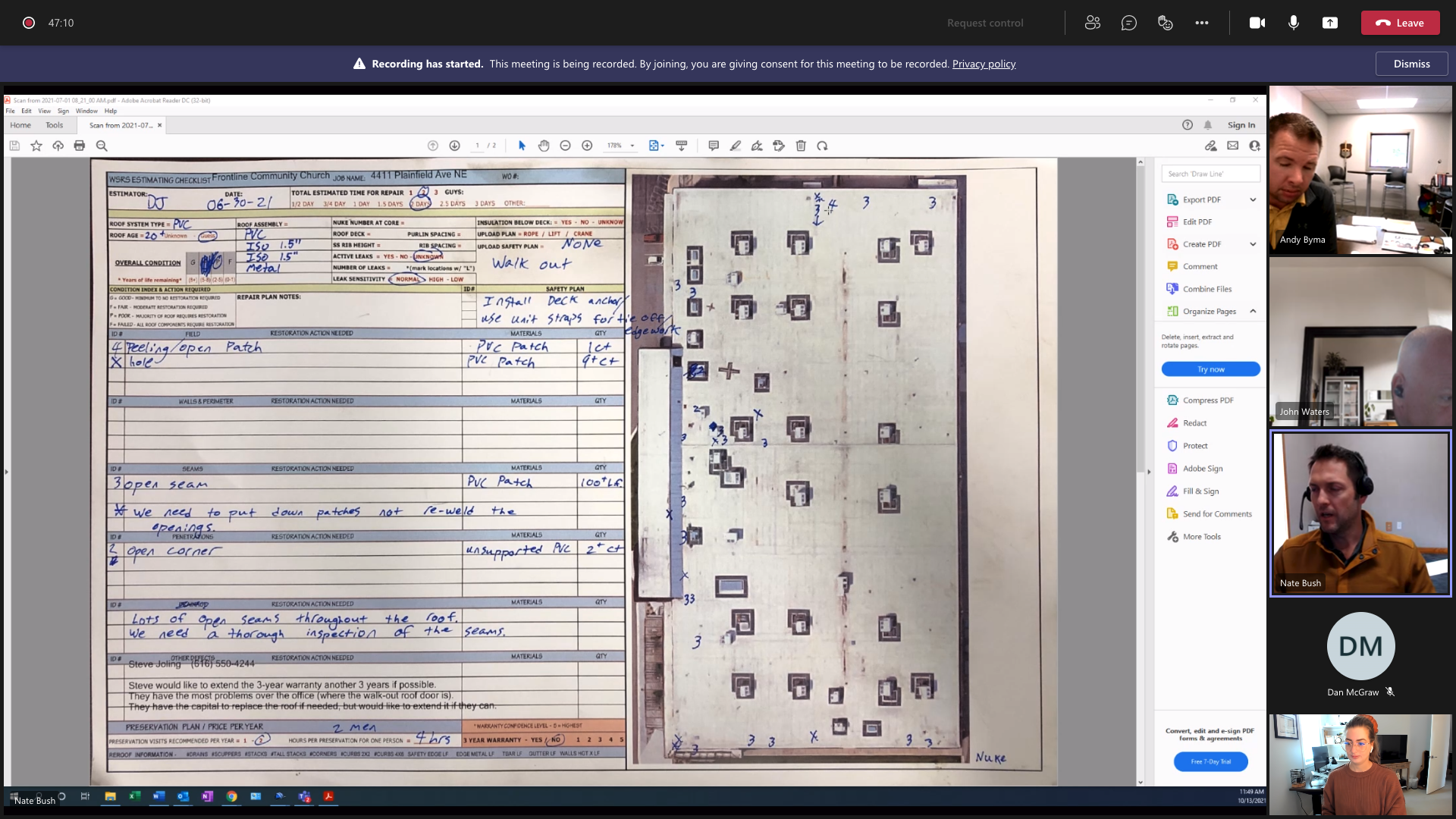
Weather Shield’s estimators previously relied on:
Paper forms
Photos taken on personal phones
Handwritten measurements and notes
Manual uploading of images to internal systems
This resulted in lost data, delays in quoting, and inconsistent report quality.
But the biggest constraint:
Commercial and industrial roofing estimators work in extreme on-site conditions.
These workers are:
Walking on large roofs
Wearing gloves
Balancing safety gear
Dealing with harsh light, cold, moisture, or wind
Using their phones with one hand
Standing, kneeling, crouching, or carrying equipment
Any UX solution had to respect this reality.
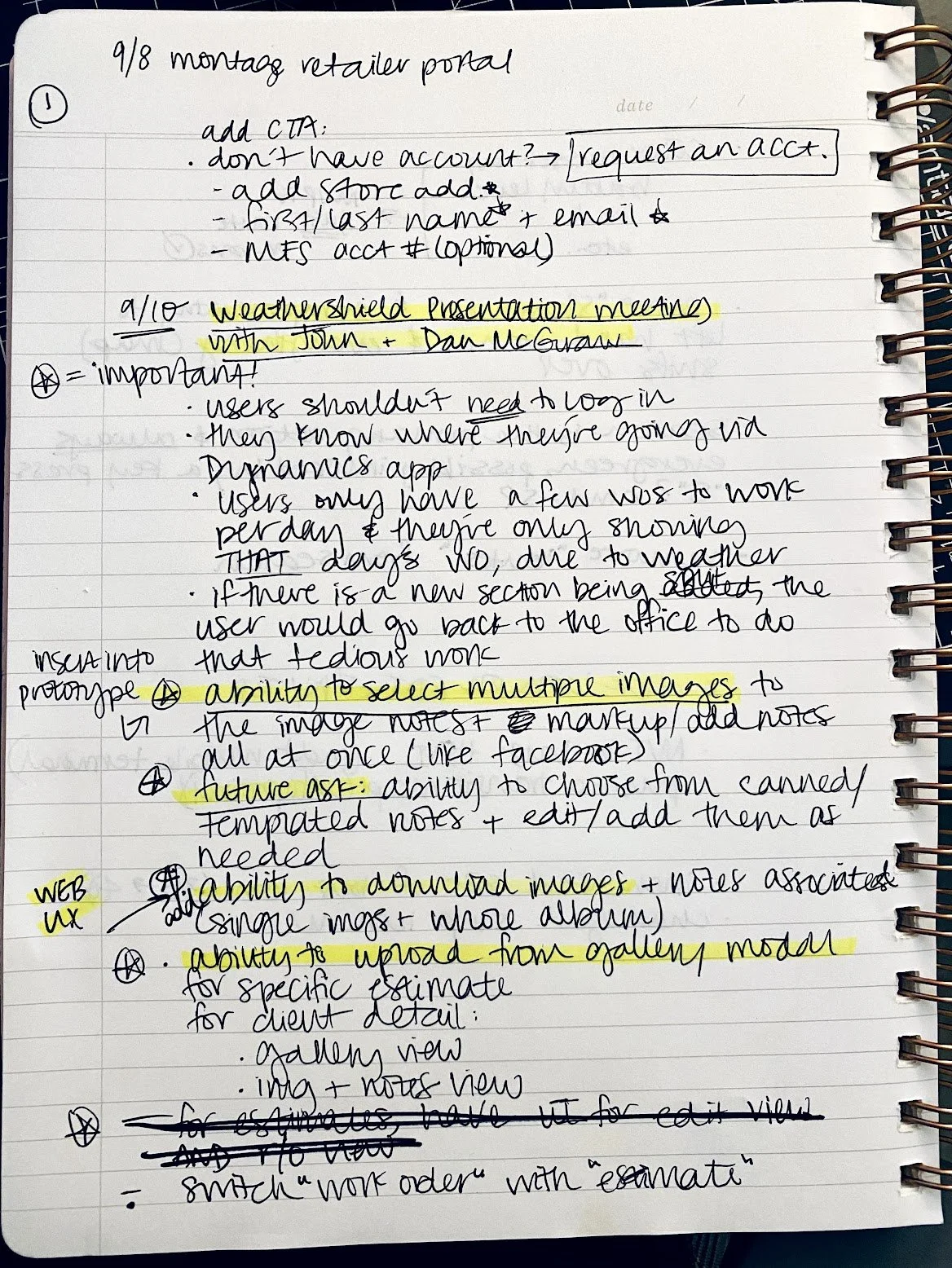
The company’s process was paper-based: estimators used paper forms, took photos with separate cameras or phones, and manually logged measurements and notes. That was labor-intensive, error-prone, and inefficient when serving large commercial or industrial clients.
Commercial and industrial roofing projects are often large-scale and complex — requiring accurate documentation (photos, annotations, measurements) to generate reliable quotes and avoid costly mistakes. The legacy process left room for human error, lost paperwork, and delays.
The existing paper process had value for large-form-factor tasks, but many estimators preferred or only had access to mobile phones on-site. There was a strong business case to extend the app’s value by offering a mobile-optimized version to increase adoption, flexibility, and speed.
Goals & Objectives
Design a mobile-ready UX/UI that preserved all core app functionality: photo capture, annotation (markups/drawings), measurement & note input, review, and sync — but in a form optimized for much smaller screens.
Ensure integration with Weather Shield’s enterprise backend systems (master account data, SharePoint photo storage, single sign-on via Office 365 / Microsoft login) so that mobile users’ submissions fit seamlessly into existing workflows.
Support field workflows typical of commercial roofing: enable estimators to work under time pressure, often in challenging onsite conditions (roof access, weather, lighting), minimizing friction and cognitive overhead.
Reduce resistance to change by providing a UI/UX accessible enough for users transitioning from paper, helping Weather Shield accelerate digital adoption across its commercial/industrial operations.
Process & My Contributions
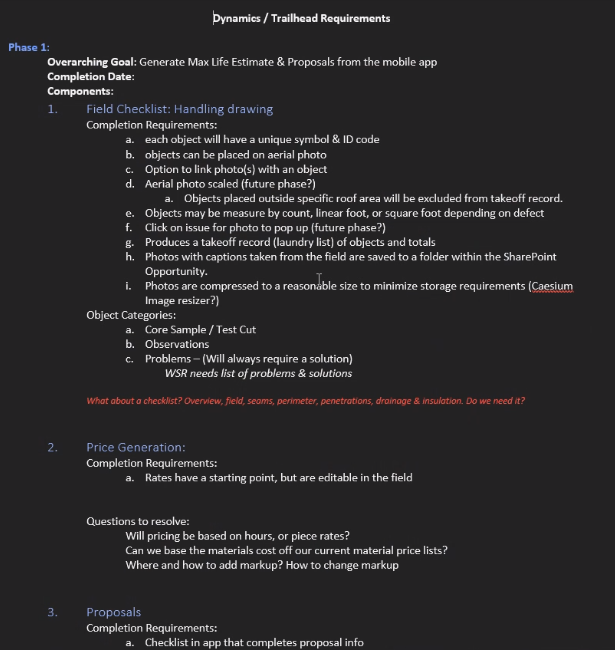
Stakeholder & Requirements Discovery
Contextual Inquiry & Field Research
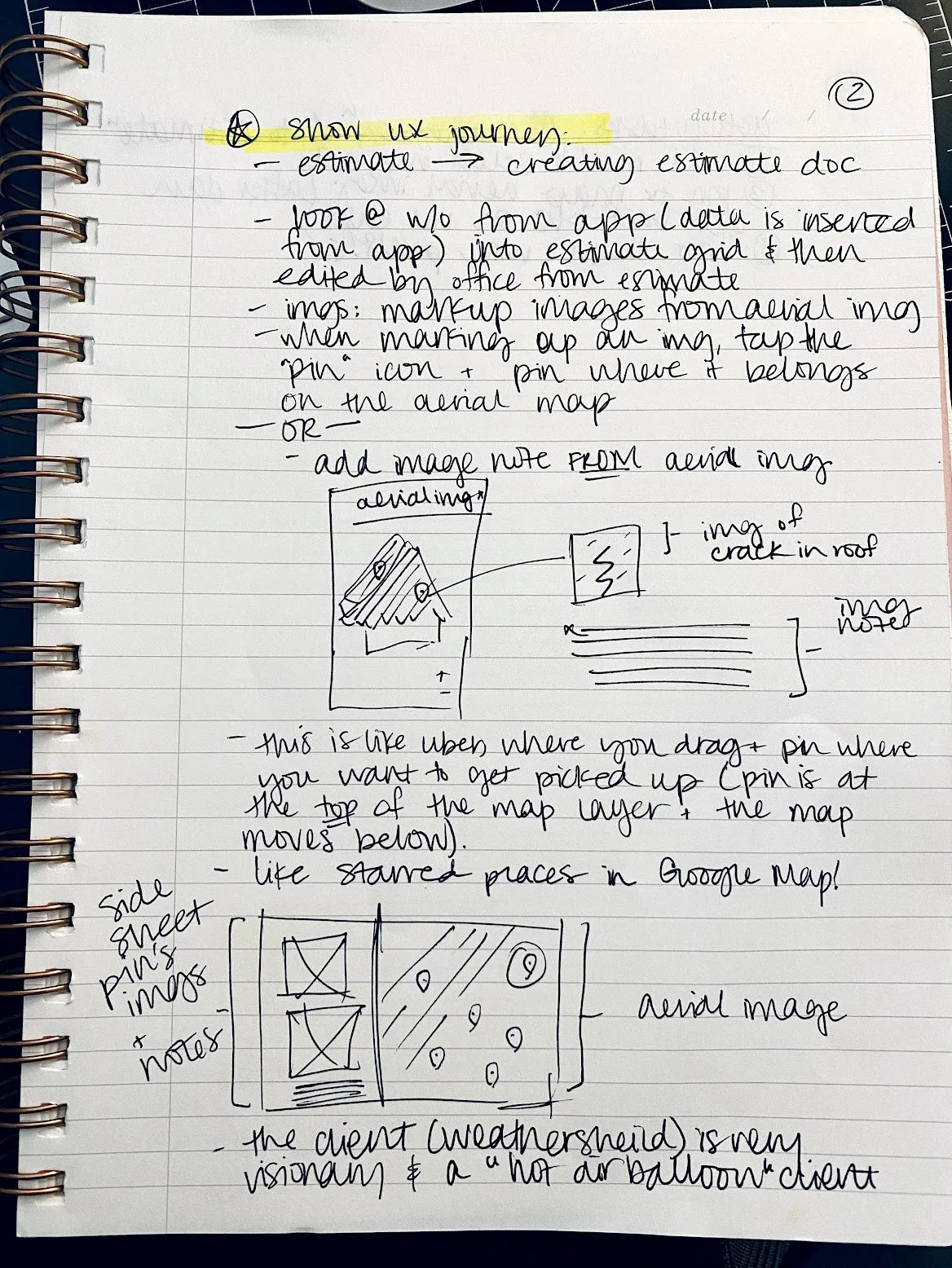
Information Architecture & UX Strategy
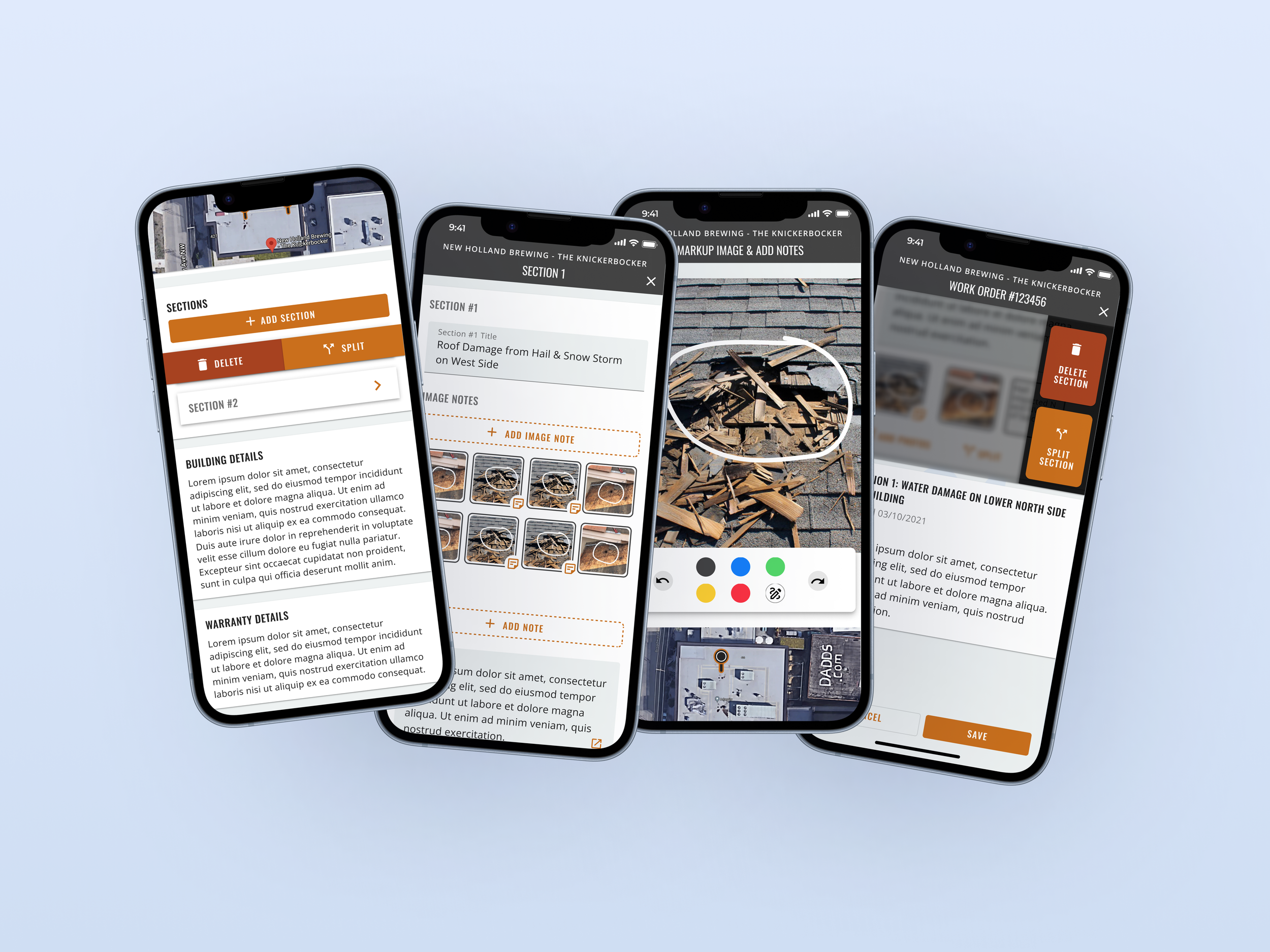
Given the complexity of the tablet app, I reorganized the information architecture to fit a linear, task-oriented workflow for mobile. I defined a streamlined flow: Capture photo → Annotate quickly → Enter measurements/notes → Review submission → Sync/submit. I prioritized the most critical user tasks and hidden or deferred secondary tasks to avoid cluttering the mobile UI.
Information Architecture & UX Strategy with a streamlined flow: Capture photo → Annotate quickly → Enter measurements/notes → Review submission → Sync/submit. I prioritized the most critical user tasks and hidden or deferred secondary tasks to avoid cluttering the mobile UI.
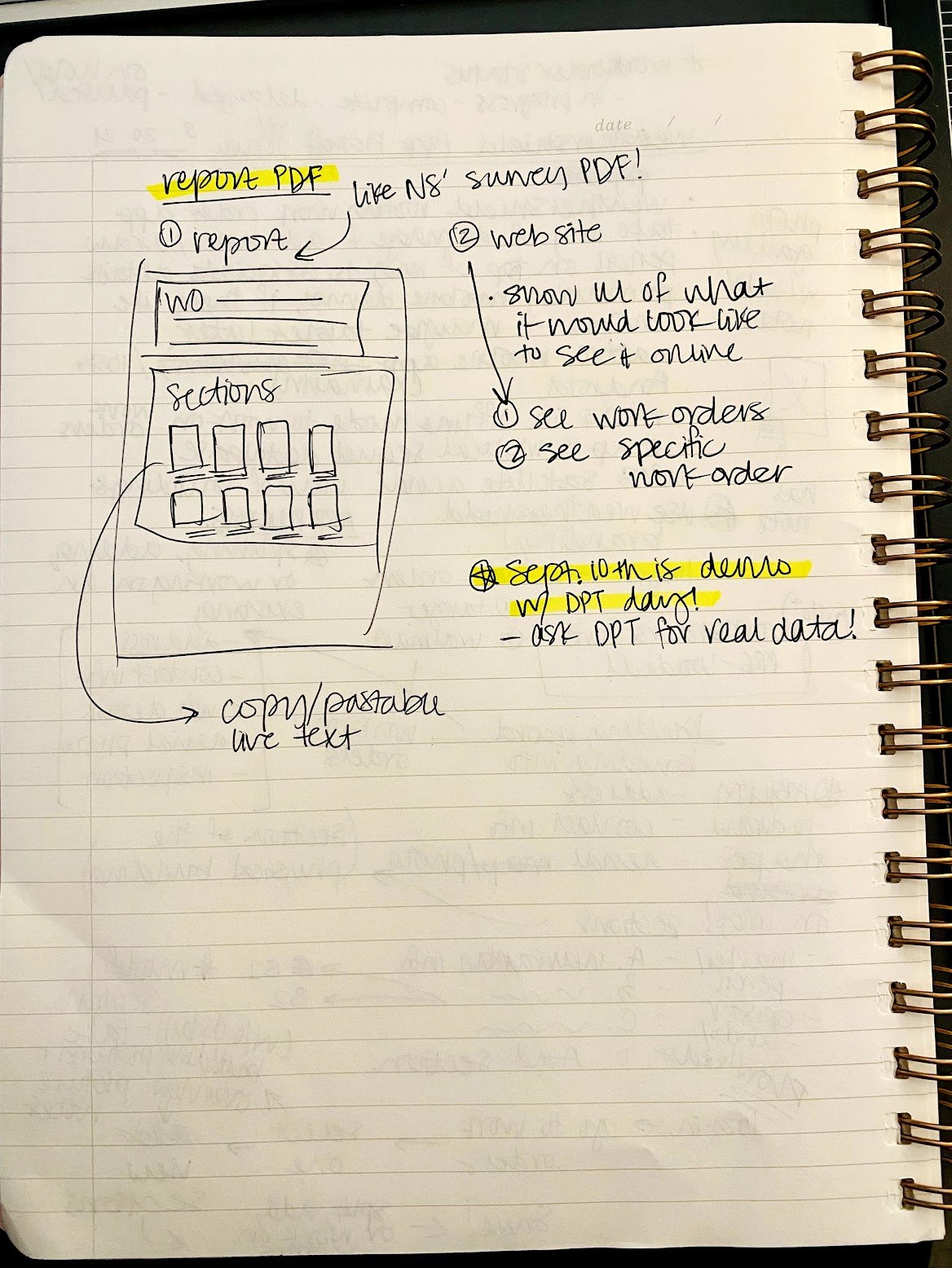
Wireframing & Prototype Iterations and ran usability sessions with estimators to validate workflow, layout, and ergonomics.
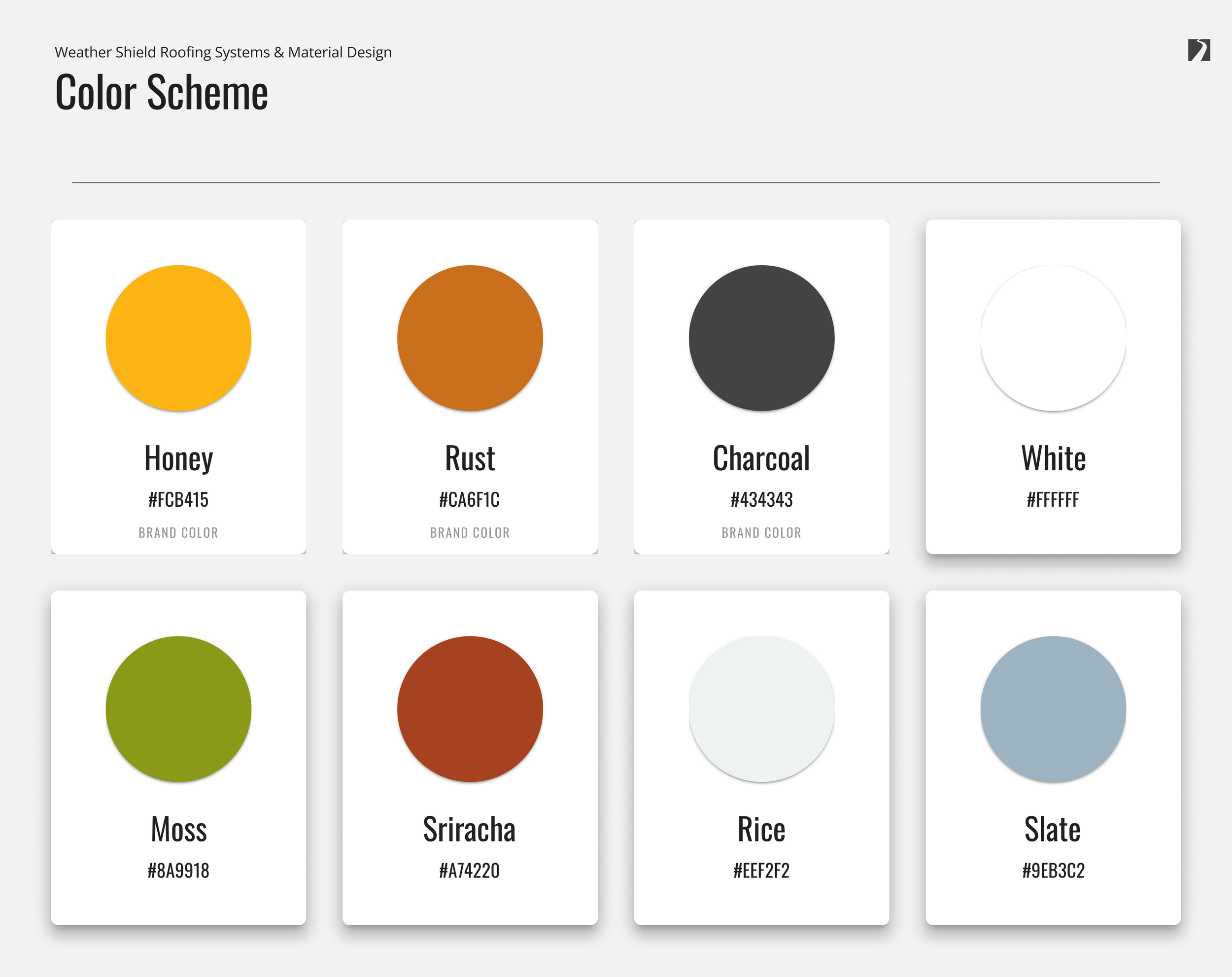
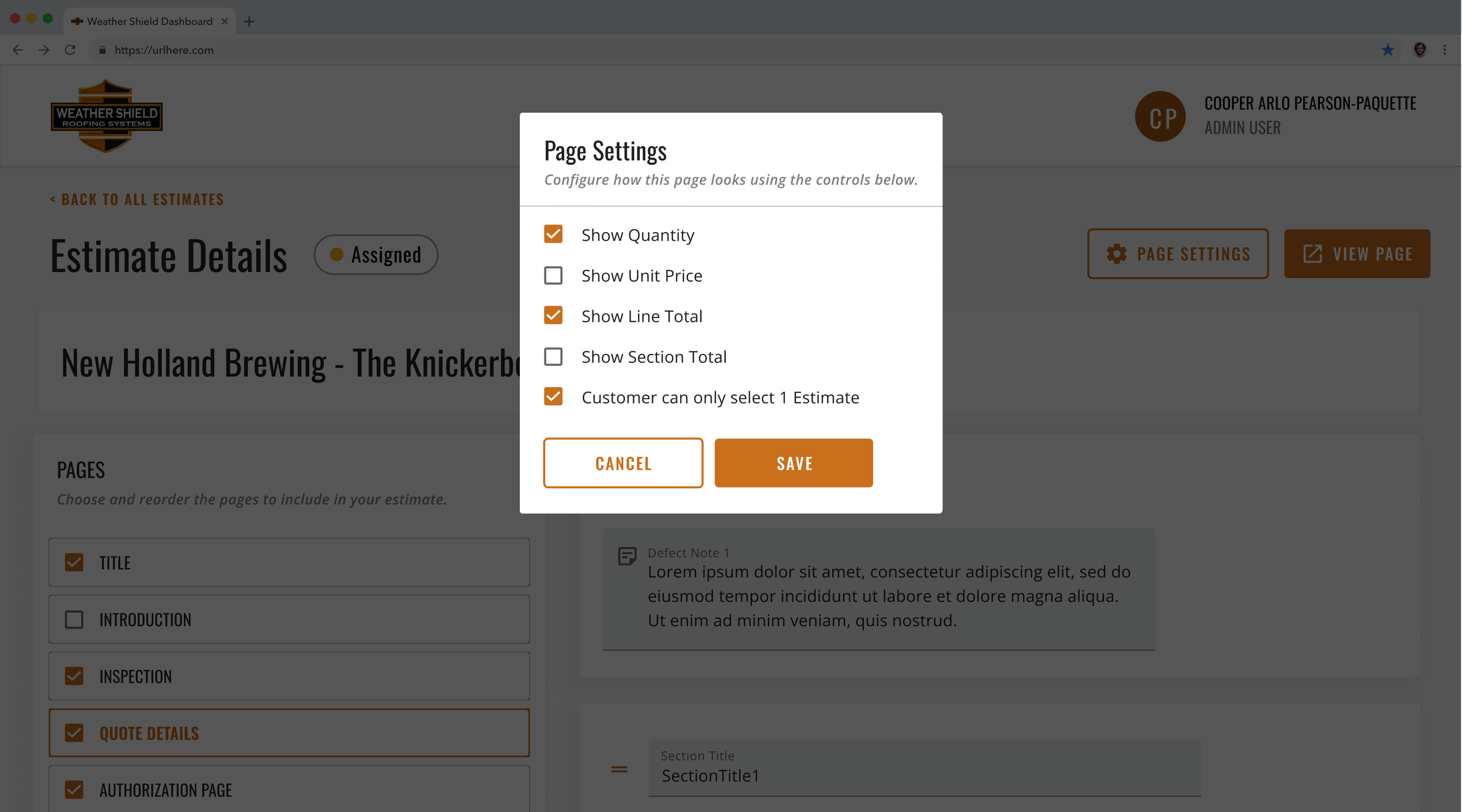
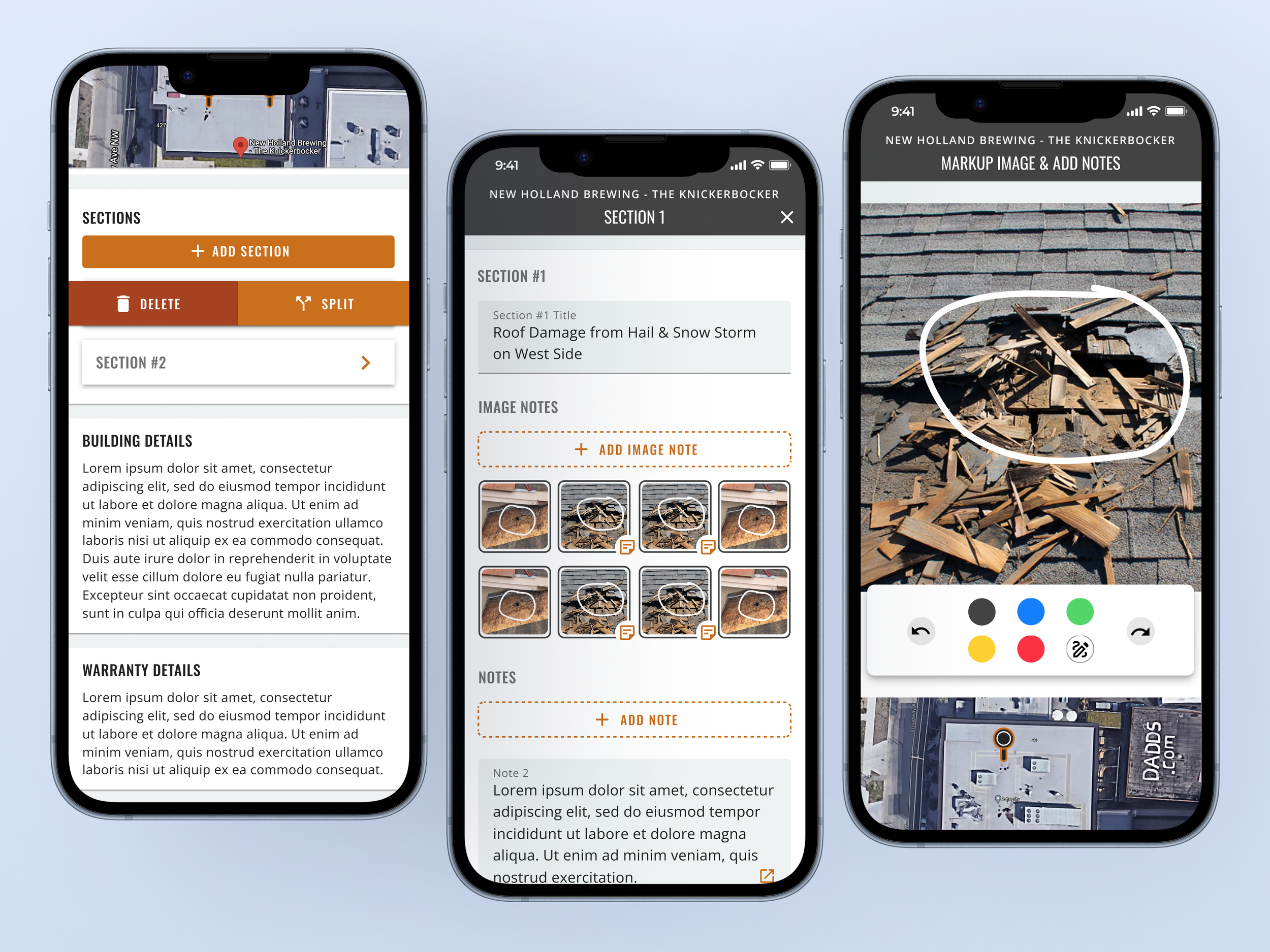
A Visual Design & Design System that extended the visual language from the tablet/web context to mobile, and created mobile-specific UI treatments (e.g. simplified toolbar for annotation, collapsible measurement panels) to maximize clarity while preserving consistency across platforms.
Development Handoff & Collaboration
Solution
A clean, intuitive mobile interface tailored for commercial/industrial roofing estimators.
A streamlined linear workflow: onsite photo capture → annotation/markup → measurement and note entry → review → sync/submit.
Annotation tools optimized for mobile touch: markups, drawings, notes directly on photos, even under challenging conditions (e.g. rooftop, variable lighting).
Responsive, thumb-friendly controls, clear feedback at each step (e.g., “Photo saved”, “Measurement added”, “Ready to sync”).
Seamless backend integration: uses enterprise account data (via Microsoft/Office 365 login), stores photos in SharePoint, syncs data to backend CRM/estimating systems — so the data flows directly from field to quoting desk without manual re-entry.
Robust handling for real-world constraints: ability to cache photos and data offline and sync when the network is restored (design spec), confirmation dialogs before sync to avoid accidental submission, and a simple UI to minimize cognitive load while on-site.
Because Weather Shield focuses on commercial and industrial roofing, this solution supports large-scale flat roofs, warehouses, factories, schools, retail centers, and other commercial/industrial buildings — where accurate documentation, fast turnaround, and integration with backend systems are critical for reliable estimates and efficient operations.
Reflection & Key Learnings
Enterprise workflows demand more than nice UI: For companies like Weather Shield, it’s critical to understand backend integration, data storage, identity management, and sync reliability. UX decisions must respect technical and operational constraints from the get-go.
Field-use case design requires empathy and adaptability: Estimators working on roofs have real-world constraints (weather, lighting, mobility, safety). Designing for them means minimizing friction, reducing cognitive load, and anticipating edge cases — not assuming ideal conditions.
Early and continuous stakeholder + user involvement is essential: Getting buy-in from leadership, estimators, and dev/back-end teams early helped align goals, surface real needs, and surface constraints — which shaped design decisions and made the resulting product more realistic and adoptable.
A mobile-first adaptation of a tablet/enterprise app can significantly boost adoption and flexibility: By enabling estimators to use their phones on-site, we increased the likelihood of digital adoption, data accuracy, and faster turnaround — which in turn improves business efficiency, reduces errors, and saves time.
As a UX lead, bridging business, user, and technical needs adds strategic value: Designing for commercial/industrial clients requires not only empathy for users, but strategic thinking about how digital transformation impacts operations, cost, efficiency — exactly the kind of high-level thinking many senior UX/product roles require!